



Ironclad alternatives sort by what you actually need: AI-native enterprise platforms (Sirion), Salesforce-embedded lifecycle tools (Conga CLM), e-signature-to-CLM paths (DocuSign CLM), analytics-and-repository tools (LinkSquares), enterprise governance (Icertis), business-wide adoption with high-touch support (ContractPodAi, now Leah), and tools built for lean and mid-market teams who need the whole lifecycle live in weeks without an implementation partner—where HyperStart, SpotDraft and Juro sit.
If you are a legal or operations team of one or two who inherited a shared drive and a folder of Word templates, your decision turns on one thing the enterprise names ignore: how fast you can go live without hiring an integrator.
This guide holds each alternative against that reality—strengths said plainly, with sources—so you can find the platform that fits your team instead of the one built for someone ten times your size.
Key takeaways
- Teams look for Ironclad alternatives mainly because of cost, setup time and onboarding effort.
- The top Ironclad alternatives are HyperStart, SpotDraft, Juro, LinkSquares, DocuSign CLM, Agiloft, Sirion, Icertis, Conga CLM and ContractPodAi (now Leah).
- HyperStart, SpotDraft and Juro suit lean and mid-market teams; Sirion, Icertis, Conga CLM, Agiloft and Leah suit enterprises with an implementation budget.
- Separate the license from the implementation when you compare quotes, because enterprise CLM usually bills them as two numbers.
- HyperStart is best for mid-market legal and operations teams that want the whole contract lifecycle live in weeks, with no implementation partner.
Why consider alternatives to Ironclad?
Teams consider Ironclad alternatives mainly because of cost and setup time, onboarding effort, rigidity as teams scale, metadata friction and interface complaints. Ironclad is a prominent leader in the contract management software space, with a customer base spanning many industries and company sizes. But teams go looking for alternatives for reasons that are consistent across user communities—from Ironclad reviews on G2 and Capterra to the recurring threads on Reddit’s r/legaltech.
The pain points that come up most often:
- Cost and setup. For the lean teams this guide is written for, the sticker price is the trap: Vendr puts mid-market Ironclad deployments at 50,000-120,000 a year, plus 10,000-75,000+ in one-time implementation (Vendr) and a deployment measured in months before you can file a contract. No prices are published; everything is sold by quote (Ironclad pricing page, as of Oct 2026).
- Onboarding. Standing up repositories and workflows—especially for legacy contracts—is complex and time-consuming, often weeks to months.
- Rigidity for scaling teams. Frequent updates and a structure that is hard to bend as an evolving team’s needs change.
- AI and metadata friction. Editing metadata tags often means manual backend adjustments.
- Interface. Legal users describe the AI review and workflow interface as cumbersome, and the Microsoft Word experience as awkward.
Ironclad holds 4.4 stars on Capterra (71 reviews, as of Oct 2026). The question for most readers is not whether Ironclad is capable—it is whether you can absorb what it costs to get running.
The axis the comparison tables miss: license vs. implementation
The axis most comparison tables miss is that one quote hides two costs: the license and the implementation. Most roundups quote a single number and move on. For a lean team that number hides the decision that actually matters: can you absorb an implementation project, or not?
Two separate costs hide behind one quote:
- The license—what you pay to use the software.
- The implementation—the integrator, the configuration project, the runway before anyone can file a contract.
Enterprise platforms like Icertis, Conga CLM and Sirion are scoped around a configuration project and a six-to-twelve-month runway—appropriate when you have a program team and a budget line for a systems integrator. A two-person legal team inheriting a shared-drive-and-Word mess has neither.
That is the slot HyperStart was built for: the whole lifecycle live in weeks, with no implementation partner, no partner margin and no configuration project—you deal directly with the people who build the product. When you compare prices below, separate the license from the implementation every time; the enterprise quote without it is not the number you will pay.
Want to see it on your own paper? Book a HyperStart demo and run the AI on ten of your real contracts before you decide.
Ironclad alternatives at a glance
The main Ironclad alternatives are HyperStart, LinkSquares, Juro, SpotDraft, DocuSign CLM, Agiloft, Sirion, Icertis, Conga CLM and ContractPodAi (now Leah), and they differ most on who they are built for and how long setup takes.
| Tools | Best for | Setup time | AI on real contracts |
| HyperStart | Mid-market legal and operations teams that want the whole contract lifecycle in one product, live in weeks, with no implementation partner | Live in weeks | Extracts, reviews and redlines |
| LinkSquares | Mid-market contract analytics and a searchable repository | Quick setup | Clause extraction |
| Juro | Scaling startups and small teams working standard, browser-native paper | Fast | AI review |
| SpotDraft | Lean teams wanting a cost-effective, fast-to-implement tool | 4-6 weeks | Fast AI extraction |
| DocuSign CLM | Teams already in the DocuSign e-signature ecosystem | Longer | AI review (via Lexion) |
| Agiloft | Procurement and supply-chain teams needing deep configuration | Project-based | Rule-driven |
| Sirion | AI-native enterprise contract management | Project-based | AI-native analytics |
| Icertis | Large global enterprises needing governance and localization | 6-12 months | Enterprise AI |
| Conga CLM | Salesforce- and Microsoft-centric enterprises | Project-based | Clause extraction |
| ContractPodAi (now Leah) | Intuitive, business-wide adoption backed by high-touch customer care and a virtual assistant | Varies by scope | AI review and playbook redlining in Word |
How HyperStart’s AI holds up on your contracts, not demo ones, is the test we invite—more on that below.
The lean and mid-market cluster
HyperStart, SpotDraft, Juro and LinkSquares are the tools a small team can actually run, and the band most readers of this page sit in.
1. HyperStart CLM
HyperStart: best for mid-market legal and operations teams that want the whole contract lifecycle in one product, live in weeks, with no implementation partner and implementation included in the quote.
Suitable for
A mid-market legal or operations team of one or two—often a new hire who inherited a shared drive and a folder of Word templates—who need the whole lifecycle live in weeks without an implementation partner. Mid-market companies, B2B SaaS, funded startups, and scaling teams across legal, sales, procurement, finance and HR.
About HyperStart CLM
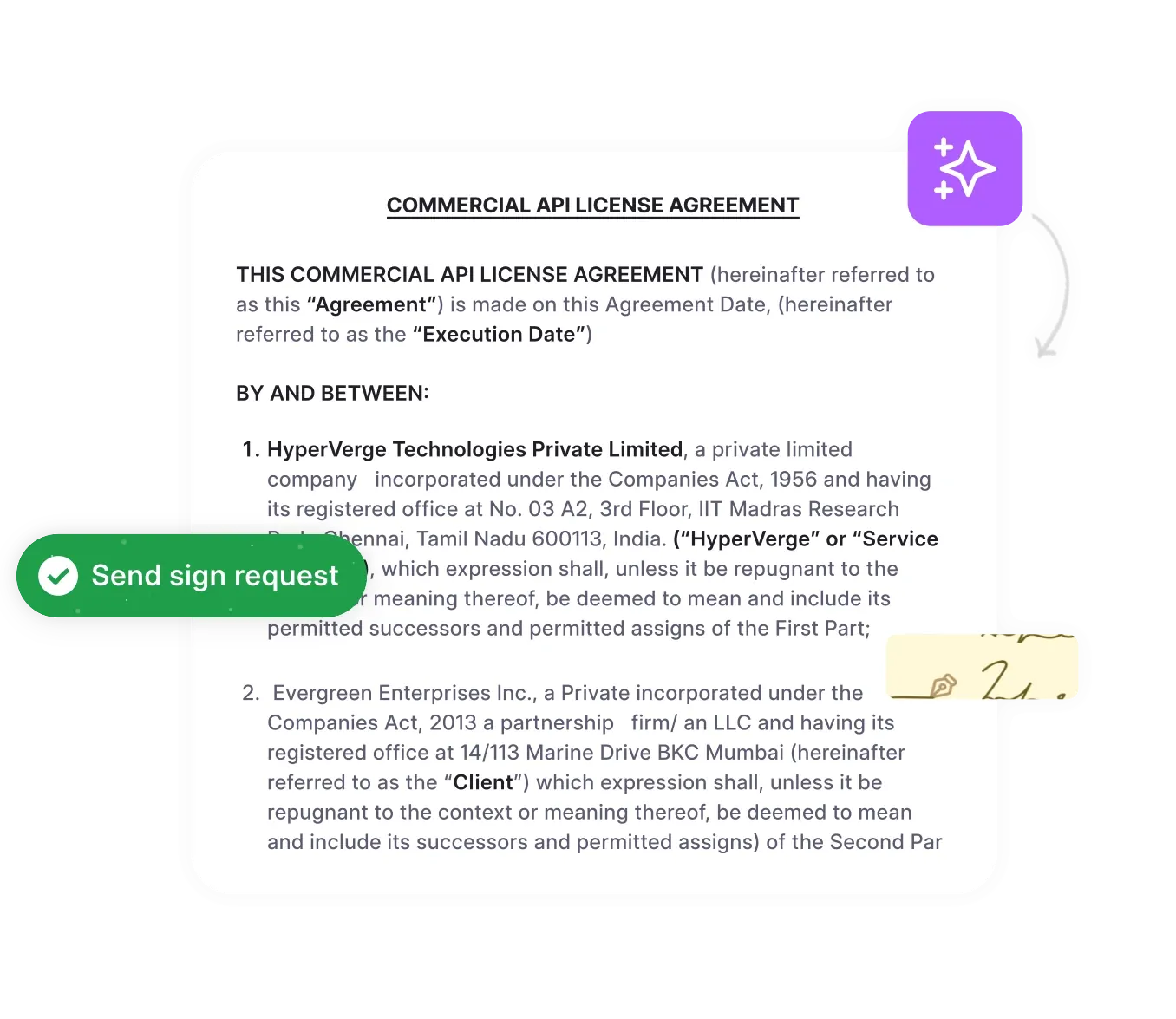
Among the Ironclad alternatives here, HyperStart is HyperVerge’s contract lifecycle management (CLM) software for mid-market legal and ops teams, handling the full lifecycle in one place—intake, self-serve templates, visual approval workflows, in-platform Word redlining, e-signature, a searchable repository, contract families with metadata rollup, and renewal and obligation tracking.
For the reader weighing alternatives, the differentiator is the absence of a go-live project: no integrator, no partner margin, no configuration runway. You deal straight with the builders and are live in weeks—what once needed six people now runs on two.
Its AI extracts, reviews and redlines on real contracts. The standing invitation is simple: run it on ten of your own contracts before you decide.
Key features of HyperStart CLM
- Repository: surface any clause across the whole estate in seconds, current version front and center.
- Templates: the business self-serves standard paper, so the same NDA is not rebuilt forty times.
- Approval workflow: any approval structure, drawn visually rather than coded—you change it yourself, no ticket, no consultant.
- Redlining in Word: negotiation stays inside the system of record.
- Contract family: parent-child linking, amendment tracking and metadata rolled up across the family.
- Renewal and obligation tracking: reminders and escalations that chase on their own.
Pros of HyperStart CLM
- Live in weeks, not quarters—no systems integrator.
- You work directly with the team that builds the product; you are not handed off.
- Simple enough that a two-person team runs the whole lifecycle.
Cons of HyperStart CLM
- Emerging brand with a smaller partner network than established enterprise names.
- Built for the mid-market—teams needing a heavy, highly configured enterprise program are a better fit for the enterprise cluster below.
HyperStart pricing
HyperStart is priced by custom quote based on users or contract volume, billed annually, with implementation and contract migration included. Unlike the enterprise quotes in this guide, the go-live cost is not a second invoice.
How HyperStart stacks up to Ironclad
| Feature | HyperStart CLM | Ironclad |
| User interface | Intuitive, built for non-legal adoption | Feature-rich; steeper learning curve |
| Pricing model | Custom quote, no separate implementation project | Sold by quote (Ironclad pricing page); implementation on top (Vendr) |
| Setup | Live in weeks | Weeks to months |
| Customer support | Direct to the product team | Tiered Success Plans; in-product chat for admins on Professional and higher plans |
| Free trial | Demo | Demo (no self-serve trial listed on the pricing page) |
| Brand & ecosystem | Emerging, smaller partner network | Established, 1000+ enterprise customers |
What HyperStart customers say
We took demos of around 5 CLM vendors and chose to use HyperStart. They were the only CLM vendor who had SOC2 compliance and met the criteria of around 22 parameters which we had evaluated them on.

Om Prakash Pandey
Head of Legal at LeadSquared
Implementation was very smooth. Using the bulk upload feature, all contracts were integrated into the system within minutes. I could also see the AI-extracted metadata on the tool immediately, which was impressive.

Mayuri Jaltare
Company Secretary at Qapita
2. SpotDraft
SpotDraft: best for startups and small-to-medium legal teams that want a cost-effective, fast-to-implement CLM.
Suitable for
Startups and small-to-medium legal teams wanting a cost-effective, fast-to-implement alternative. SpotDraft is the tool Reddit’s r/legaltech community most often names as the cost-effective pick for lean teams with fast AI extraction.
About SpotDraft
SpotDraft is designed for ease of use, with a template library covering NDAs, sales contracts and employment agreements. It sets teams up in roughly 4-6 weeks and offers free implementation, a dedicated success manager and transparent, flexible pricing. Like Ironclad, it sells by quote rather than publishing prices (SpotDraft pricing page, as of Oct 2026).
Key features of SpotDraft
- Template library for common agreements.
- Native e-signature.
- Integrations with Salesforce, HubSpot, Slack and Google Drive.
- Renewal and deadline alerts.
Pros of SpotDraft
- Pay-as-you-go model aids budget control.
- Accessible support through Slack.
- Holds 4.8 stars on Capterra (26 reviews, as of Oct 2026).

“Very easy to write an agreement and get it executed in very little time. Also, you can upload bulk agreements in a very short time. I had a good experience while using SpotDraft; it made my life easy while making agreements.”
Cons of SpotDraft
- Doesn’t automatically move contracts between parties, so some back-and-forth is manual.
- Reviewers ask for stronger version control on counterparty drafts.
“If we can integrate more measures around version control, especially when a draft is received from the counterparty, it will be super helpful!”
SpotDraft compared to Ironclad
If speed and budget are the priorities, SpotDraft is the more affordable, faster-to-deploy option, with native e-signatures. If SpotDraft and HyperStart both make your shortlist, two tests separate them: ask each vendor to show a contract family with three amendments and rolled-up metadata, and build your real approval matrix, including the exception path, in both.
3. Juro
Juro: best for scaling startups and small teams working standard, repeatable paper in a browser-native editor.
Suitable for
Scaling startups and small teams working standard, repeatable paper in a browser-native editor.
About Juro
Juro streamlines creating, editing, collaborating and e-signing in a single environment, helping over 6,000 companies. Its contract-specific editor reduces app-switching.
Key features of Juro
- No-code approval workflow builder.
- AI review.
- Integrations with CRM, HRM and core systems.
- Automatic contract-date tracking.
Pros of Juro
- Quick to get running, no deep technical knowledge needed.
- Stakeholders see every contract’s status.
- Holds 4.8 stars on Capterra (47 reviews, as of Oct 2026).
“Juro’s interface is really clean and simple for setting up new contracts with standardized templates. They have some if-then logic to leverage Salesforce data, and it makes sure our sales team gets all required approvals and proper contract-based language included regardless of how familiar they are with the contract terms.”
Cons of Juro
- Reminders can’t be tailored to specific timeframes or set as annual recurring.
- Complex contracts are harder; best for repeatable standard paper. Negotiation itself happens in Word, so the contract leaves Juro to be redlined.
“Creating more complex contracts is difficult, it is mainly useful for simple contracts of the same kind that need to be repeatedly generated.”
Juro compared to Ironclad
Juro’s clean, browser-native interface makes drafting and approval intuitive, where Ironclad’s depth asks for more training.
4. LinkSquares
LinkSquares: best for medium-sized businesses and enterprises that prioritize contract analytics and a searchable repository.
Suitable for
Medium-sized businesses and enterprises prioritizing fast contract analytics and a searchable repository.
About LinkSquares
LinkSquares serves over 1,000 customers with a contract automation platform centered on analytics and a searchable repository. Reviewers commend its intuitive layout and quick onboarding.
Key features of LinkSquares
- Sign: send agreements for signature in-platform.
- Smart OCR: digitizes and makes difficult documents searchable.
- Integration: works with Word and Salesforce.
Pros of LinkSquares
- Smooth, intuitive onboarding.
- Fits into existing tool stacks easily.
- Holds 4.3 stars on Capterra (41 reviews, as of Oct 2026).
“Linksquares is a good platform to integrate all processes from drafting to the final execution. The support team is responsive and helpful. LinkSquares is easy to use and implement.”
Cons of LinkSquares
- Lack of folders can make urgent contract access harder.
- Setting up workflows takes significant effort.
“I don’t like when files do not convert correctly. It is annoying that I cannot put tokens into the clause library. I also cannot format items in the clause library.”
LinkSquares compared to Ironclad
LinkSquares’s clean interface eases navigation and quick setup, where Ironclad’s deep functionality asks for a steeper learning curve. See our detailed Ironclad vs. LinkSquares comparison.
The enterprise and specialist cluster
These platforms are built and priced for large, configured deployments with a program team behind them. If you have an implementation budget, they are the right neighborhood; if you are a team of two, read them as context for the cluster above.
5. DocuSign CLM
DocuSign CLM: best for enterprises already standardized on DocuSign e-signature that want the lifecycle from the same vendor.
Suitable for
Enterprises, and teams already standardized on the DocuSign e-signature ecosystem.
About DocuSign CLM
DocuSign CLM extends the e-signature giant into the full lifecycle, strengthened by its 2024 acquisition of Lexion, which added AI contract review and workflow automation. Users file, tag and store contracts in one place. DocuSign CLM itself is custom-quoted. DocuSign’s separate Intelligent Agreement Management (IAM) plans start at $40 per user/month (IAM Starter, billed annually. For a fuller breakdown see our DocuSign CLM pricing guide.
Key features of DocuSign CLM
- Contract creation with CRM auto-fill and pre-approved clauses.
- Automated routing with version control.
- Integrations across 400+ applications.
- Negotiation assistant that flags key terms and risks.
Pros of DocuSign CLM
- Hundreds of pre-programmed agreement types.
- Organized document history and audit-friendly tracking.
“Before DocuSign, our process was labor-intensive. We had to go through each paper contract, print it, add stamps for approval, and then scan it to have a digital copy. But once we switched to DocuSign, things got a lot smoother. DocuSign helped us streamline our workflow.”
Cons of DocuSign CLM
- No notifications for upgrades.
- Setup can be tedious and time-consuming.
- Reviewers flag an inconsistent interface and pricing for features like merge fields.
“DocuSign’s inconsistent user interface can be frustrating, particularly when text fields shift position based on screen resolution, compromising documents’ professional appearance. Additionally, their pricing strategy, including hiking prices for essential features like merge fields, feels unfair to customers.”
DocuSign CLM compared to Ironclad
For teams already signing in DocuSign, its CLM is the natural next step. If you already own DocuSign e-signature, note it integrates as the signature layer rather than needing replacement. See our Ironclad vs. DocuSign comparison and the wider list of DocuSign alternatives.
6. Agiloft
Agiloft: best for procurement, sales and legal teams that need a deep, highly configurable CLM.
Suitable for
Procurement, sales and legal teams, and enterprises needing deep, flexible configuration—noted in the supply-chain industry.
About Agiloft
Agiloft handles complex contract approval workflows and offers a strong set of configuration options.
Key features of Agiloft
- Collaboration tools (forums, task management, document sharing).
- Full-text search across any file format.
- Multi-language support.
- Self-service portal.
Pros of Agiloft
- Custom workflows, templates and fields.
- Integrates with CRM and ERP systems.
- Holds 4.8 stars on Capterra (39 reviews, as of Oct 2026).
“Agiloft has helped me to organize my to-do list. Before, I used to need to constantly sort through emails to see what had been done and what needed to be done. Now I log into Agiloft and can immediately see the status of every contract I’ve touched. I can see the notes and the various versions, the emails, and the tasks. It’s all there in one place. And if I’m on vacation or not available to continue a contract review, one of my other associates can pick up right where I left off and continue to serve our clients.”
Cons of Agiloft
- The Word plugin doesn’t allow metadata-field customization.
- Releases prioritize US customers, with European users waiting longer.
“Understanding which tables automatically update and which require manual changes can be unclear, especially when transitioning between fields. Additionally, keeping the library up to date is crucial, given the frequent changes in standard FAR and DFARs clauses for Government contractors. An automated system for updating the library based on changes in the law would greatly streamline compliance efforts.”
Agiloft compared to Ironclad
Agiloft’s high configuration level suits complex contracts and high volumes, with more granular control than Ironclad—at the cost of a configuration project.
7. Sirion
Sirion: best for large enterprises that want AI-native contract management across a high-volume contract estate.
Suitable for
Large enterprises wanting AI-native contract management and analytics across a high-volume estate.
About Sirion
Sirion is widely named as the default AI-native enterprise platform, pairing lifecycle management with deep AI analytics.
Key features of Sirion
- AI-native extraction and analytics.
- Enterprise lifecycle management.
- Performance and obligation analytics.
Pros of Sirion
- Strong AI depth for large contract volumes.
- Holds 4.5 stars on G2 (65 reviews, as of Oct 2026).
Cons of Sirion
- Scoped and priced for enterprise; a configuration project and runway apply
Sirion compared to Ironclad
Where Ironclad is workflow-first, Sirion leans AI-native—the deeper the data-extraction need at enterprise scale, the stronger the case for it.
8. Icertis
Icertis: best for large global enterprises and regulated industries that need governance and localization.
Suitable for
Large global enterprises and regulated industries needing governance, localization and multi-currency support.
About Icertis
Icertis delivers enterprise contract management with advanced AI, global compliance and industry-specific configurations.
Key features of Icertis
- Clause libraries and playbooks.
- Multilingual support with automated translation.
- Localization for local regulations.
- Reporting and visualization dashboards.
Pros of Icertis
- Deep customization and industry expertise.
- Strong security, including SSL-based secure transfer.
- Holds 4.3 stars on Capterra (41 reviews, as of Oct 2026).
“What I like best about the solution is the flexibility of the core software. No matter what business, you can make it fit. It comes ready with multiple integrations to large platforms like Salesforce, Adobe, and SAP necessary for any contract lifecycle management software.”
Cons of Icertis
- Signature issues and occasional recall-and-resend.
- Reviewers flag the implementation-partner experience.
“Icertis needs to work on the implementation side. Not a very pleasant experience working with the Icertis implementation partner.”
Icertis compared to Ironclad
Icertis goes further on deep customization and global governance, suited to complex regulated workflows—with the implementation cycle that scale implies. See our Icertis alternatives.
9. Conga CLM
Conga CLM: best for enterprises working in the Salesforce and Microsoft ecosystems.
Suitable for
Enterprises and legal/business teams in the Salesforce and Microsoft ecosystems.
About Conga CLM
Conga CLM integrates tightly with Microsoft products—create and edit in Word, use clause libraries in Word, collaborate in Office 365—and adds approval workflows, reporting and obligation tracking.
Key features of Conga CLM
- AI extraction of key terms.
- Pre-approved language and clauses.
- Real-time online collaboration.
- CRM and ERP integrations.
Pros of Conga CLM
- Real-time visibility into status, obligations and deadlines.
- Integrates with enterprise systems.
- Holds 4.3 stars on Capterra (75 reviews, as of Oct 2026).
“Conga has allowed us to operationalize our contracting process for sales and customer success. Instead of a different set of contract templates sitting on each person’s desktop, there is a defined contract for each use case.”
Cons of Conga CLM
- Extensive customization can add cost.
- A learning curve for those new to CLM.
“Although the tool is usually fantastic, at times it feels like the support should be stepped up. While in a few instances where we’ve encountered problems, the response wasn’t as prompt as we might have expected, leaving us high and dry without solutions and somewhat poor.”
Conga CLM compared to Ironclad
Conga is the Salesforce-and-Microsoft-ecosystem pick, with a quicker implementation than Ironclad for teams already in that stack.
10. ContractPodAi (now Leah)
Leah CLM: best for intuitive, business-wide adoption supported by high-touch customer care and virtual assistant features.
Suitable for
Organizations that want business teams beyond legal to adopt the CLM, inside a broader AI platform that also spans procurement and finance.
About ContractPodAI (now Leah)
Leah, formerly ContractPodAi, describes itself as an agentic AI platform that unifies contract lifecycle management, legal transformation and source-to-pay automation. Leah Agentic CLM covers guided intake, AI review and playbook-driven redlining in Microsoft Word, conditional approval routing with auto-escalation, e-signature through DocuSign and Adobe Sign, a repository with cognitive search, and obligation and renewal tracking.
Key features of Leah CLM
- Guided intake and AI review with playbook redlining in Word.
- A legal helpdesk assistant that answers contract questions with sources attached.
- Domain agents for legal, contracting, procurement and finance.
- Integrations with SAP, NetSuite, Coupa, Okta, DocuSign and Adobe Sign.
Pros of Leah CLM
- Support is a visible strength: the vendor displays a G2 “Best Support” badge.
- SOC 2 Type II certified, with single-tenant deployment on request.
- Positioned as a Visionary in Gartner’s Magic Quadrant for CLM (vendor’s own site).
- Holds 4.6 stars on G2 (48 reviews, as of Oct 2026).
Cons of Leah CLM
- Pricing is quote-only; ask for license, implementation and contract migration as separate lines.
- Reviewers cite a long implementation and a learning curve (see our ContractPodAi reviews).
Leah compared to Ironclad
Where Ironclad is workflow-first and built around legal operations, Leah puts its weight on adoption by business users and on hands-on support, inside a wider agentic platform. See our ContractPodAi alternatives.
How to choose the best Ironclad alternative
Two questions settle most decisions—how big your team is, and whether you can absorb an implementation project—and the second is the one the comparison tables skip.
How big is your team, and who adopts the tool?
A two-person legal or ops team needs something they can run without a dedicated admin. Large, multi-country operations need governance, localization and configuration depth. The lean cluster (HyperStart, SpotDraft, Juro) is built for the first; the enterprise cluster (Sirion, Icertis, Conga CLM, Leah) for the second. Ironclad is the category leader for a legal ops team of ten. If you have two, ask who on your team would own configuration after go-live.
Can you absorb an implementation project?
This is the real fork: if you can’t fund an integrator and a long runway, the lean cluster is your band. Enterprise platforms assume an integrator, a configuration project and a six-to-twelve-month runway. If you have that budget, the enterprise cluster fits. If you need the whole lifecycle live in weeks with no partner—because you are the team—the lean cluster is your band. For a lean legal team that needs to go live in weeks: HyperStart.
Then check the basics
Compare AI reliability on your own real contracts (not demo paper), redlining in Word, contract families, renewal tracking, and security—SOC 2 Type II, ISO 27001 and HIPAA where relevant. User reviews on G2, Capterra and Gartner Peer Insights, plus community threads on Reddit’s r/legaltech, corroborate most of what you’ll test in a trial.
Who HyperStart is built for, by role
HyperStart is built for six roles—General Counsel, Legal Operations, Sales, Procurement, Finance and IT/Security—each with one job.
- General Counsel: scale contract volume without scaling risk or headcount. Routine NDAs, standard orders and renewals run themselves; the lawyers’ attention goes to the risk-carrying paper.
- Legal Operations: stop being the queue, the chaser and the help desk. Every contract in flight—stage, owner and age—in one view, with workflows and templates you change yourself.
- Sales / Sales Ops: standard paper goes out the same day without waiting on legal, and you can see where every deal’s contract sits.
- Procurement: no accidental auto-renewals—vendor agreements, amendments and dates sit together, notice windows flagged early.
- Finance: contracted value totaled across a family, with terms and escalators pulled from signed paper so forecasts don’t wait on PDFs.
- IT / Security: SOC 2, ISO 27001, HIPAA and SSO—the security review questionnaire is answered before you ask.
Find the best alternative to Ironclad for your business
Ironclad has played a significant role in contract management, but the decision for most teams comes down to the two questions above: team size, and whether you can absorb an implementation project.
For the team weighing these alternatives, HyperStart targets the band past spreadsheets but short of enterprise—without losing a quarter to setup. Your repository and workflows are live in weeks, and the AI works your actual paper. Book a demo and try it on ten of your own contracts.